跳到主要内容

3 篇博文 含有标签「vite」

查看所有标签

vite部署线上报MIME类型错误

· 阅读需 1 分钟
TransonQ
Front-end Engineer

错误如下​

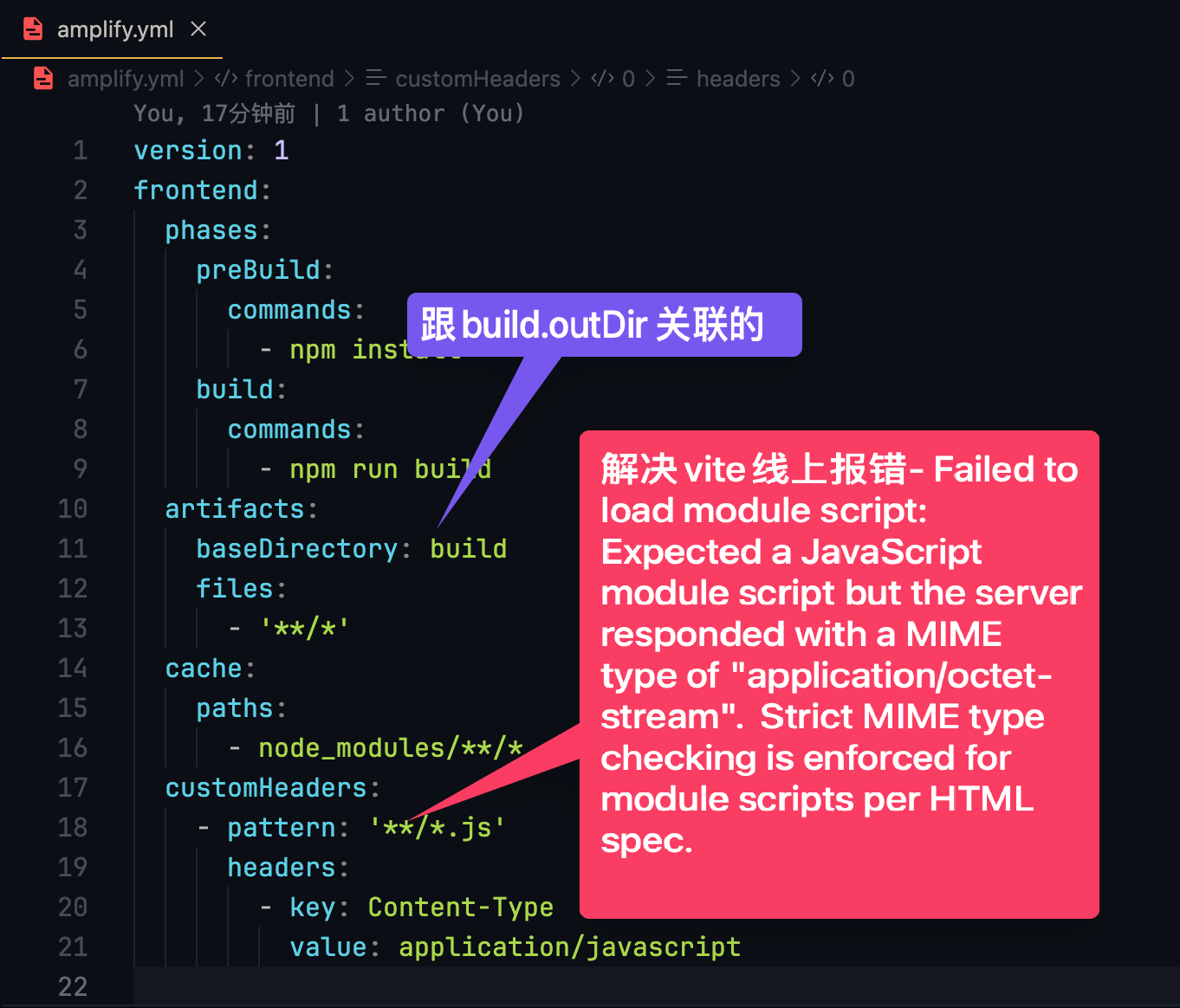
Failed to load module script: Expected a JavaScript module script but the server responded with a MIME type of "application/octet-stream".  Strict MIME type checking is enforced for module scripts per HTML spec.

配置文件解决​

注意: 添加头的方法在 amplify.yml 可能有用, 但是主要是看你构建目录是否正确, 亚马逊配置如果目录不对, 有时候可以构建成功! Vite 默认构建目录是 dist , CRA默认构建目录是 build

使用“customHeaders”属性配置了所有 JavaScript 文件的 MIME 类型为“application/javascript”。
vite-amplify-error.png

nginx解决​

types {
application/javascript js;
}

还找到这个解决方法

sudo vi /etc/nginx/mime.types

找到或者补充这一行

application/javascript js

在末尾添加

application/javascript js mjs

重启nginx

sudo nginx -s reload

Apache 服务器解决​

AddType application/javascript .js

vite3(ESM)无__dirname变量

· 阅读需 1 分钟
TransonQ
Front-end Engineer

ESM 不支持__dirname,需要自定义​

import { dirname } from 'path'
import { fileURLToPath } from 'url'

const _dirname =
typeof __dirname !== 'undefined'
? __dirname
: dirname(fileURLToPath(import.meta.url))

路径别名示例​

vite.config.js
import react from '@vitejs/plugin-react'
import { dirname, resolve } from 'path'
import { fileURLToPath } from 'url'
import { defineConfig } from 'vite'

// __dirname is not available in ES module.
const _dirname =
typeof __dirname !== 'undefined'
? __dirname
: dirname(fileURLToPath(import.meta.url))

// https://vitejs.dev/config/
export default defineConfig({
plugins: [react()],
resolve: {
alias: {
'@': resolve(_dirname, 'src'),
},
},
})