跳到主要内容

js 的 URL 验证函数

· 阅读需 1 分钟
TransonQ
Front-end Engineer

基本方法​

function checkUrl(string) {
let givenURL
try {
givenURL = new URL(string)
} catch (error) {
console.log('error is', error)
return false
}
return true
}

此种方法可能会漏掉一些不合规但是有效的 url, 譬如:youtube://abcd, a://1.2.3.4@1.2.3.4

再确认协议​

function checkHttpUrl(string) {
let givenURL
try {
givenURL = new URL(string)
} catch (error) {
console.log('error is', error)
return false
}
return givenURL.protocol === 'http:' || givenURL.protocol === 'https:'
}

使用正则表达式​

function isValidURL(string) {
var res = string.match(
/(https?:\/\/(?:www\.|(?!www))[a-zA-Z0-9][a-zA-Z0-9-]+[a-zA-Z0-9]\.[^\s]{2,}|www\.[a-zA-Z0-9][a-zA-Z0-9-]+[a-zA-Z0-9]\.[^\s]{2,}|https?:\/\/(?:www\.|(?!www))[a-zA-Z0-9]+\.[^\s]{2,}|www\.[a-zA-Z0-9]+\.[^\s]{2,})/gi
)
return res !== null
}

参考: Secure JavaScript URL validation

react-router-dom v6.3 切换路由前确认

· 阅读需 2 分钟
TransonQ
Front-end Engineer

背景​

时间: 2022-09-21

截止此篇博客日期, react-router-dom v6.2 版本里面没有了 <Prompt> , 这里查看官方文档迁移说明

有两个解决方式:

  • 降级 v5 / 6.0.0-alpha.5(有 usePrompt 和 useBlocker)
  • 自定义 hooks

自定义 hooks​

/src/hooks//useBlocker.js
import React from 'react'
import { UNSAFE_NavigationContext } from 'react-router-dom'

export function useBlocker(blocker, when = true) {
const navigator = React.useContext(UNSAFE_NavigationContext).navigator

React.useEffect(() => {
if (!when) return

const unblock = navigator.block((tx) => {
const autoUnblockingTx = {
...tx,
retry() {
unblock()
tx.retry()
},
}

blocker(autoUnblockingTx)
})

return unblock
}, [navigator, blocker, when])
}
/src/hooks/useCallbackPrompt.js
import { useCallback, useEffect, useState } from 'react'
import { useLocation, useNavigate } from 'react-router-dom'
import { useBlocker } from './useBlocker'

export function useCallbackPrompt(when) {
const navigate = useNavigate()
const location = useLocation()
const [showPrompt, setShowPrompt] = useState(false)
const [lastLocation, setLastLocation] = useState(null)
const [confirmedNavigation, setConfirmedNavigation] = useState(false)

const cancelNavigation = useCallback(() => {
setShowPrompt(false)
}, [])

const handleBlockedNavigation = useCallback(
(nextLocation) => {
if (
!confirmedNavigation &&
nextLocation.location.pathname !== location.pathname
) {
setShowPrompt(true)
setLastLocation(nextLocation)
return false
}
return true
},
// added location to the handleBlockedNavigation hook. The location object changes and the location.pathname value remains outdated.
[confirmedNavigation, location]
)

const confirmNavigation = useCallback(() => {
setShowPrompt(false)
setConfirmedNavigation(true)
}, [])

useEffect(() => {
if (confirmedNavigation && lastLocation) {
navigate(lastLocation.location.pathname)

// Clean-up state on confirmed navigation
setConfirmedNavigation(false)
}
}, [confirmedNavigation, lastLocation])

useBlocker(handleBlockedNavigation, when)

return [showPrompt, confirmNavigation, cancelNavigation]
}

使用方式​

const [isEditing, setIsEditing] = usestate(false)

// 业务逻辑,

const [showPrompt, confirmNavigation, cancelNavigation] = useCallbackPrompt(isEditing)

// 自行封装一个离开当前路有前的 modal , 假设为 BeforeLeaveModal

<BeforeLeaveModal
showDialog={showPrompt} // boolean 此 modal 是否显示
cancelNavigation={cancelNavigation} // function 点击取消离开路由回调
confirmNavigation={confirmNavigation} // function 点击确认离开路由的回调
/>

续更​

2022-10-31

由于在 react-router-dom v6.4 更新后 UNSAFE_NavigationContext被废弃, 暂时无法使用上述的钩子. 如果想继续停留在 v6 版本, 建议先让版本保持在 v6.3.0

MacOS工具-tree

· 阅读需 1 分钟
TransonQ
Front-end Engineer

homebrew 安装​

brew install tree

常用命令​

帮助​

tree --help

显示制定层级​

tree -L 3 # 显示当前目录下 3 层结构

只显示文件夹​

tree -d

过滤文件/夹​

tree -I "node_modules" # 过滤 node_modules 文件夹

奖树形结构导入到 readme.md 文件中​

tree -L 2 > README.md

案例​

# 过滤目录下的 node_modules 文件夹,显示目录下的 4 层结构,并导出到 README.md 文件中
tree -I "node_modules" -L 4 > README.md

使用valtio实现请求响应错误toast

· 阅读需 2 分钟
TransonQ
Front-end Engineer

关于全局的请求响应错误提示​

  1. UI 库自带函数调用即可实现全局 toast (如: ant design 的 message.error(config))
  2. 将请求响应拦截器(axios.interceptors.response.use())写在 UI 层
  3. 通过发布订阅的方式从响应拦截器通知到对应的组件

valtio 是状态代理变得简单​

文档看这里: valtio.pmnd.rs

关于 useSyncExternalStore (react18)​

个人认为,对于 react 组件之间的状态管理在其内部始终满足UI = function( data ),并且对于渲染与重新渲染有一套完备的机制. 但是如果对于外部数据源,可能会导致一些不必要的渲染, 具体可以看这篇文章: useSyncExternalStore - The underrated React API

封装一个请求响应错误 toast​

src/global/pubstate.js
import { useSyncExternalStore } from "react"
import { proxy, snapshot, subscribe } from "valtio"

// 创建一个代理对象
const pubState = proxy({ active: false, text: "hello" })

// 订阅
const subscribePubState = (callback) => subscribe(pubState, callback)

// 使用代理
const snapshotPubState = () => snapshot(pubState)

// 自定义钩子
const usePubState = () =>
useSyncExternalStore(subscribePubState, snapshotPubState)

export { pubState, usePubState }
function App() {
const { text, active } = usePubState() // 使用代理数据

// toast 的显隐
const toastvaltio = active ? (
<Toast
content={pubState.text}
onDismiss={() => {
pubState.active = !pubState.active
}}
/>
) : null

return (
<Frame>
<Page title="example">
<Card sectioned>
{toastvaltio}
<Heading>{text}</Heading>
// 模拟请求响应触发代理值改变
<Button
onClick={() => {
pubState.active = true
pubState.text = "" + Math.random()
}}
>
mutate
</Button>
</Card>
</Page>
</Frame>
)
}

codesandbox​

axios的post请求没有参数的情况不会携带请求头

· 阅读需 1 分钟
TransonQ
Front-end Engineer

联调问题​

go 后端框架 Kratos 如果收到没有携带请求头 content-type, 框架会报 400, 错误信息是 unregistered xxx :content-type

axios (0.27.2)​

如果 post 请求没有传任何参数的情况下, 默认会去掉请求头 content-type, 请求拦截器加上也会被清除

最快的解决方法​

请求时添加一个空对象即可

export const postTest = () => ax.post(`/test/url/example`, {})

mac终端便捷测网速

· 阅读需 1 分钟
TransonQ
Front-end Engineer

打开终端输入​

networkQuality

运行效果示例​

current download capacity: 26.039 Mbps - current upload capacity: 2.233 Mbps

网络质量报告​

Upload capacity: 2.393 Mbps     # 上传带宽
Download capacity: 40.437 Mbps # 下载带宽
Upload flows: 20 #
Download flows: 12 #
Responsiveness: High (2191 RPM) # [响应能力的评价] 每分钟往返次数 (RPM)

# 「Low」(低),说明同一网络的设备会互相影响,导致其他设备的网络连接不可靠;
# 「Medium」(中),则表明多设备共享网络时会造成短暂卡顿;
# 「High」(高)则最为理想,表明网络通畅,多设备并行联网也能和平共处,保持良好连通。
# 更多参数和说明,可以用如下命令查阅手册页面 networkQuality(8):man networkQuality

vite3(ESM)无__dirname变量

· 阅读需 1 分钟
TransonQ
Front-end Engineer

ESM 不支持__dirname,需要自定义​

import { dirname } from 'path'
import { fileURLToPath } from 'url'

const _dirname =
typeof __dirname !== 'undefined'
? __dirname
: dirname(fileURLToPath(import.meta.url))

路径别名示例​

vite.config.js
import react from '@vitejs/plugin-react'
import { dirname, resolve } from 'path'
import { fileURLToPath } from 'url'
import { defineConfig } from 'vite'

// __dirname is not available in ES module.
const _dirname =
typeof __dirname !== 'undefined'
? __dirname
: dirname(fileURLToPath(import.meta.url))

// https://vitejs.dev/config/
export default defineConfig({
plugins: [react()],
resolve: {
alias: {
'@': resolve(_dirname, 'src'),
},
},
})

Git的vpn代理配置

· 阅读需 2 分钟
TransonQ
Front-end Engineer

背景​

问题案例: 克隆仓库时候报连接被拒绝

fatal: unable to access 'https://github.com/克隆的仓库xxx.git/':
Failed to connect to github.com port 443 after 4 ms: Connection refused

问题​

挂了 vpn 可以访问外网但是无法 pull/push

代理配置​

  1. 首先找到网络 https/http 代理端口,设置代理端口
git config --global http.proxy 127.0.0.1:代理端口号
  1. 不需要时可以取消代理
git config --global --unset http.proxy
  1. 查看 git 设置
git config --list

# 如果设置了端口的话会找到如下的信息
# http.proxy=127.0.0.1:端口号

https 代理同理

上传问题​

如果出现Git: fatal: unable to access 'https://xxxxxxxx.git/': Recv failure: Connection reset by peer 此种类似的问题, 就是代理了对应的协议端口不行了, 尤其是私有仓库/公司仓库有的限定了访问端口或者不让用代理的.

解决方法:

之前代理了什么清除一下

git config --global --unset http.proxy
git config --global --unset https.proxy

ohmyzsh终端主题配置

· 阅读需 1 分钟
TransonQ
Front-end Engineer

安装和使用​

  1. 链接:ohmyzsh
  2. cd ~
  3. la
  4. 看一下列表里面是不是有.zshrc 如图:

image.png

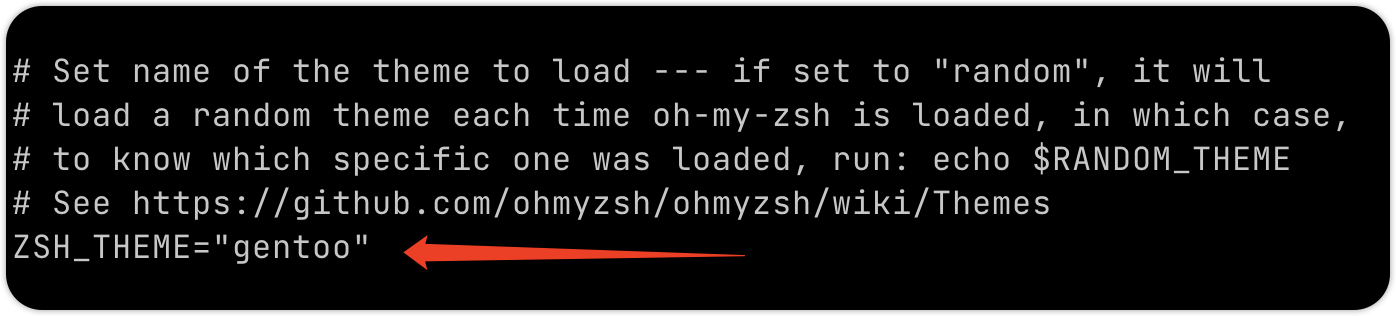
  1. vim .zshrc 找到 ZSH_THEME="这是主题名字"

image.png

  1. 链接: 主题总览
  2. 找到自己心仪的主题,在步骤 5 里面更换主题名字
  3. 在 vim 编辑器中i进入编辑模式,键盘点击del删除已有的名字, 并粘贴想要更换的名字
  4. :wq + Enter
  5. 重启终端
  6. 主题节选如下:

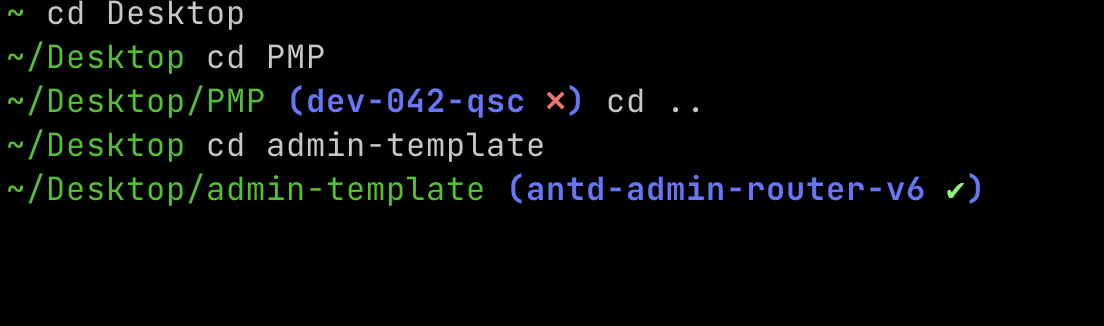
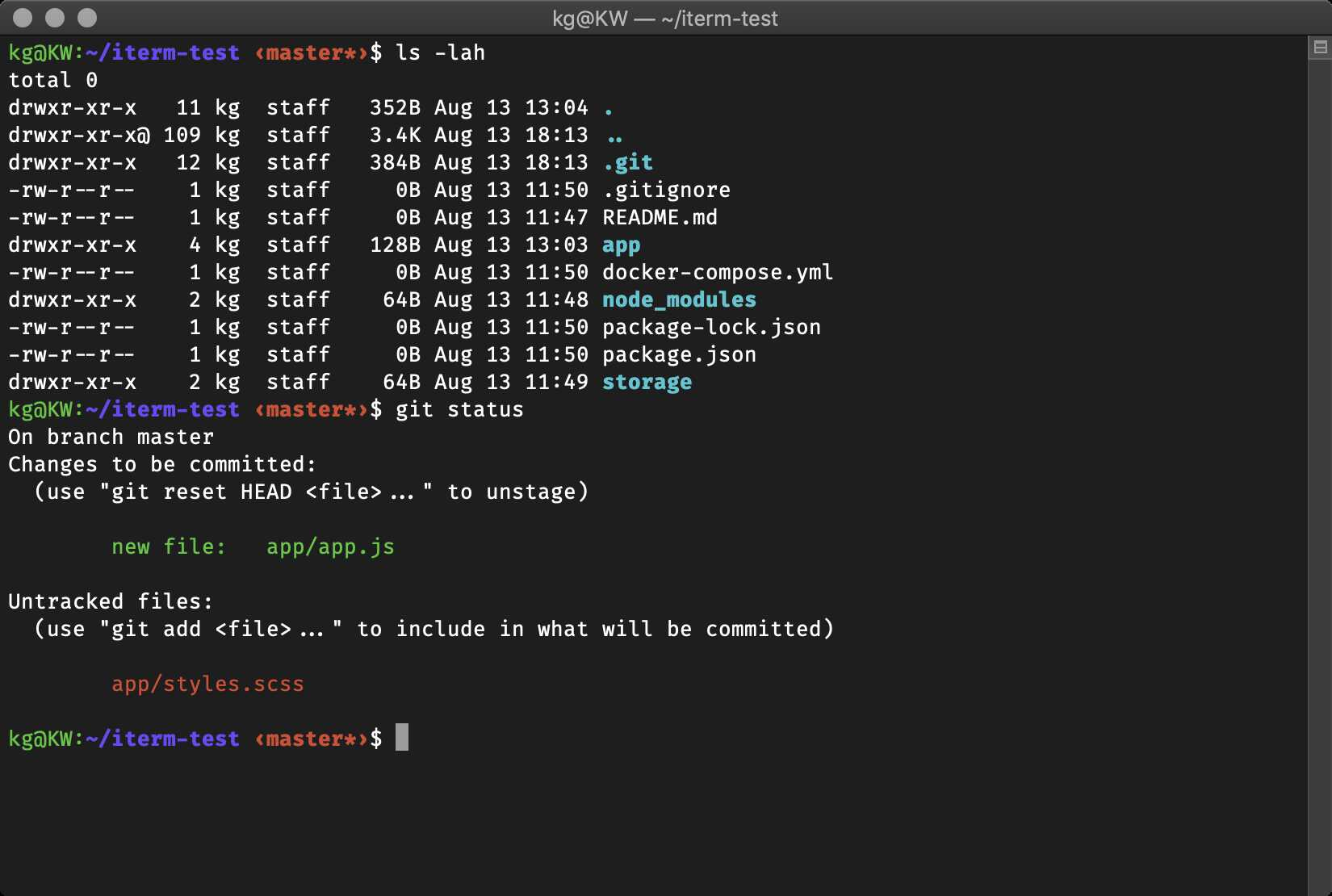
simple (会提示 git 暂存是否干净 ❎ 和 ✅ )​

image.png

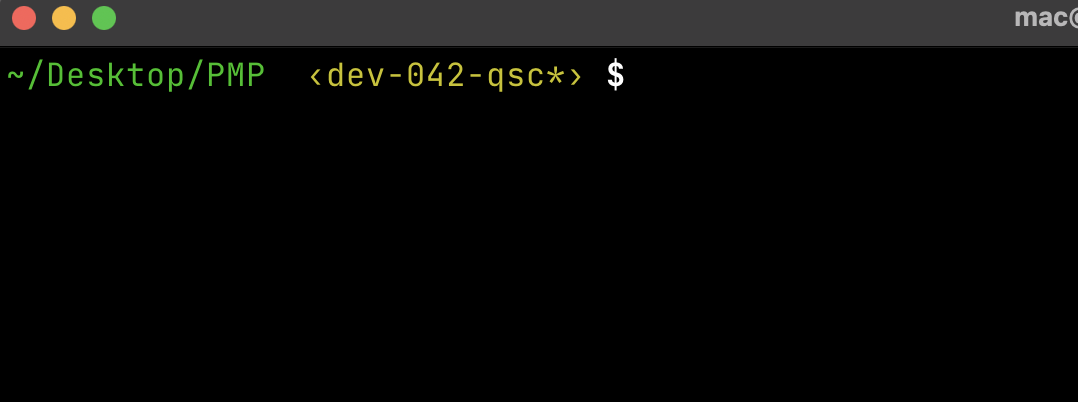
macovsky​

image.png

af-magic​

image.png

gallois​

image.png

alanpeabody​

image.png

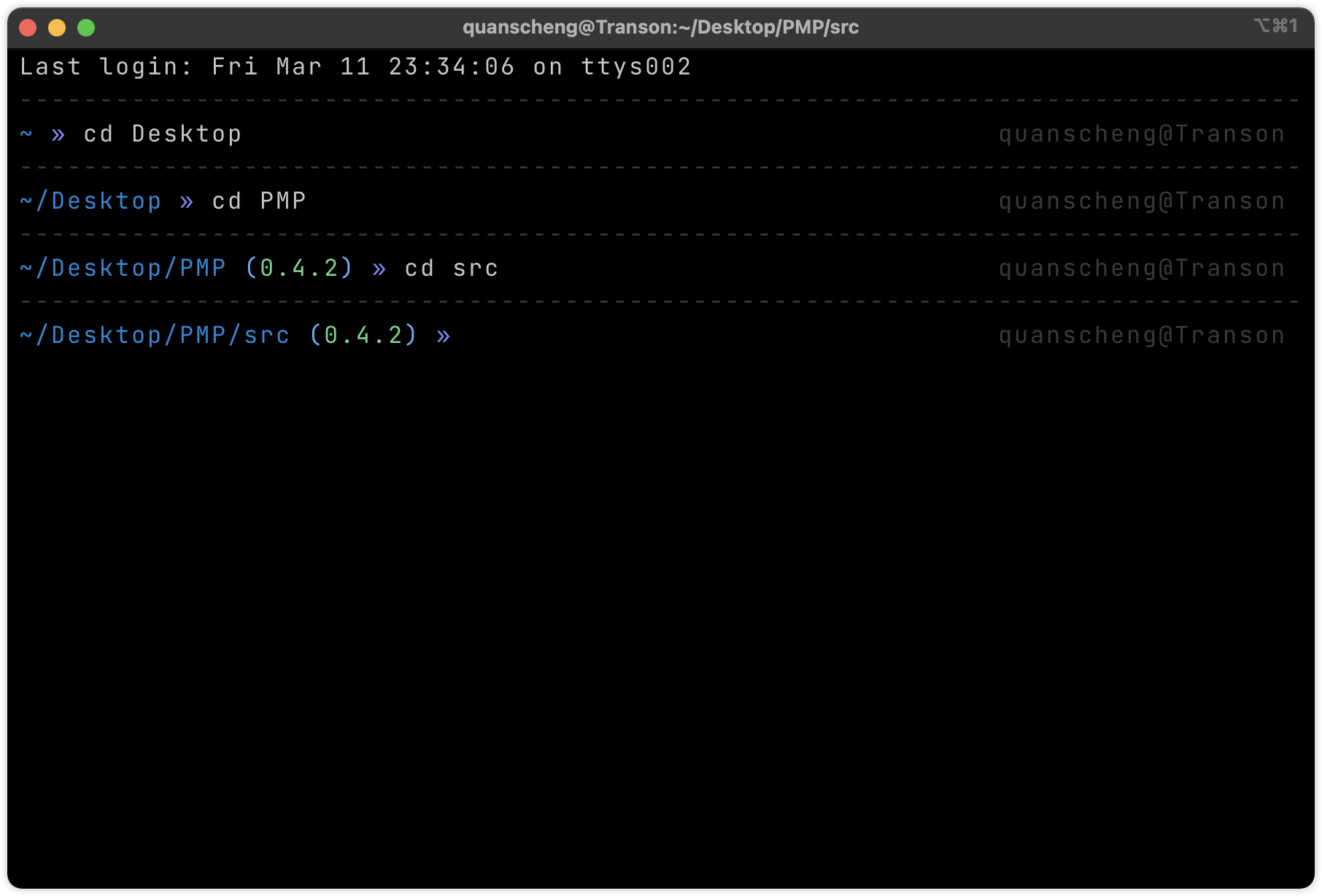
tjkirchtheunraveler​

image.png